


Knowledge Base
go directly to the main content
Knowledge Base document #1231
FRITZ!Smart Gateway
This support document is available for the following products:
- FRITZ!Box 7690
- FRITZ!Box 7682
- FRITZ!Box 7590 AX
- FRITZ!Box 7590
- FRITZ!Box 7583 VDSL
- FRITZ!Box 7583
- FRITZ!Box 7582
- FRITZ!Box 7581
- FRITZ!Box 7560
- FRITZ!Box 7530 AX
- FRITZ!Box 7530
- FRITZ!Box 7520
- FRITZ!Box 7510
- FRITZ!Box 7490
- FRITZ!Box 7430
- FRITZ!Box 7390
- FRITZ!Box 7360
- FRITZ!Box 6890 LTE
- FRITZ!Box 6850 5G
- FRITZ!Box 6850 LTE
Using a FRITZ! smart plug
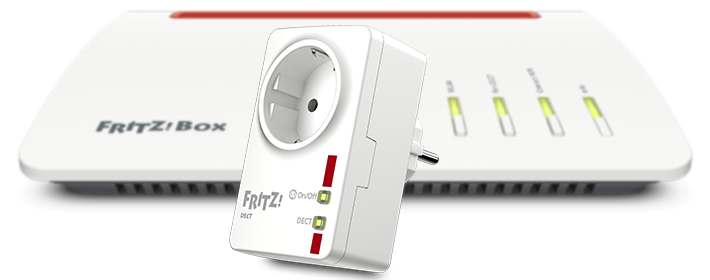
The smart plug, for example FRITZ!Smart Energy 200, is integrated into your home network via an encrypted DECT connection.
You can either use the user interface or a button on the FRITZ!Smart Gateway to register the smart plug
Requirements / Restrictions
- To use FRITZ!Smart Gateway, FRITZ!OS 7.50 or later must be installed on the FRITZ!Box.
Note:All instructions on configuration and settings given in this guide refer to the latest FRITZ!OS for the FRITZ!Box.
1 Registering a FRITZ! smart plug via the user interface
- Plug the FRITZ! smart plug into a wall socket near the FRITZ!Box.
- Click on 'Smart Home' in the user interface of the FRITZ!Smart Gateway.
- Click on 'Devices and Groups' in the 'Smart Home' menu.
- Click on the 'Register Device' button and select the desired option.
- Within 2 minutes: Push the (DECT) button on the FRITZ! smart plug. Hold down the button for at least 6 seconds until the LED starts to flash quickly. The FRITZ! smart plug is in registration mode as long as the LED flashes quickly.
- The LED on the FRITZ! smart plug remains lit as soon as the connection has been established.
2 Registering a FRITZ! smart plug by button
- Plug the FRITZ! smart plug into a wall socket near the FRITZ!Smart Gateway.
- Push the (DECT) button on the FRITZ! smart plug. Hold down the button for at least 6 seconds until the LED starts to flash quickly. The FRITZ! smart plug is in registration mode as long as the LED flashes quickly.
- Within 2 minutes: Push the Connect button on the FRITZ!Smart Gateway. The Connect LED starts to flash and the gateway is in registration mode.
- The LED on the FRITZ! smart plug remains lit as soon as the connection has been established.
Now you can plug the FRITZ! smart plug in wherever you want and configure the desired automatic switching settings, for example a schedule, in the 'Smart Home' area of the FRITZ!Box user interface.
 Deutschland
 International (English)
 United Kingdom
 Österreich
 Nederland
 España
 Italia
 Polska
 België (Nederlands)
 Luxemburg (Deutsch)
 Schweiz (Deutsch)