


Knowledge Base
go directly to the main content
Knowledge Base document #3769
FRITZ!Smart Gateway
This support document is available for the following products:
Loading the factory settings of the FRITZ! door/window contact
Load the factory settings to reconnect the FRITZ! door/window contact or to connect it with a different FRITZ!Box or FRITZ!Smart Gateway. This makes sense if you are going to use the door/window contact at a different location or are planning to pass it on to another user, for example.
You can easily load the factory settings of the door/window contact using the pin included with delivery.
1 Loading the factory settings
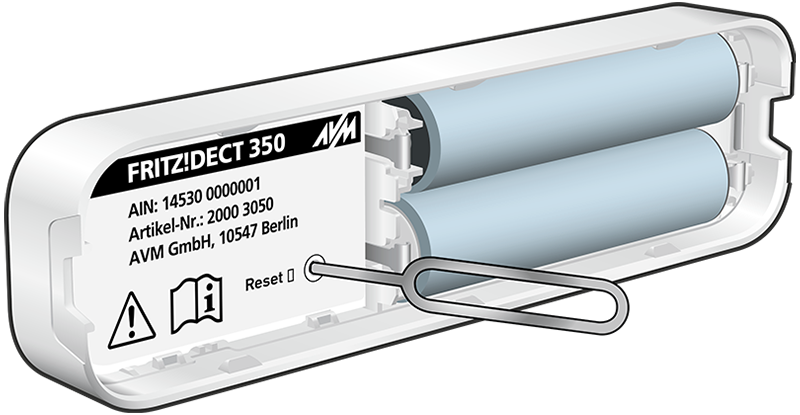
- Open the housing of the FRITZ! door/window contact.
- Pick up the pin included with delivery.
- Carefully insert the pin into the "Reset" opening inside the housing for at least one second. The LED inside the sensor begins to flash and the factory settings are loaded.
2 Deregistering the door/window contact
- Click on 'Smart Home' in the FRITZ!Box user interface or in the user interface of the FRITZ!Smart Gateway.
- Click on 'Devices and Groups' in the 'Smart Home' menu.
- Click on the 'Delete Device' button.
- Afterwards, click on the
 (Delete) button next to the respective device.
 - Click on the 'Finished' button.
 Deutschland
 International (English)
 United Kingdom
 Österreich
 Nederland
 España
 Italia
 Polska
 België (Nederlands)
 Luxemburg (Deutsch)
 Schweiz (Deutsch)