


Knowledge Base
go directly to the main content
- FRITZ!Box 7690
- FRITZ!Box 7682
- FRITZ!Box 7590 AX
- FRITZ!Box 7590
- FRITZ!Box 7583 VDSL
- FRITZ!Box 7583
- FRITZ!Box 7582
- FRITZ!Box 7530 AX
- FRITZ!Box 7530
- FRITZ!Box 7520
- FRITZ!Box 7510
- FRITZ!Box 7490
- FRITZ!Box 6890 LTE
- FRITZ!Box 6850 5G
- FRITZ!Box 6850 LTE
Using a smart home device from another manufacturer
In your FRITZ! home network, you can use smart home devices from other manufacturers that use the standard DECT ULE/HAN FUN or Zigbee for the radio connection, for example LED lights, motion detectors, door/window contacts, smart switches, smart plugs, roller shutter motors. The connection standard used by the respective smart home device is given in the manufacturer's product documentation.
DECT ULE/HAN FUN is a standard for connecting smart home devices that is used by many manufacturers.
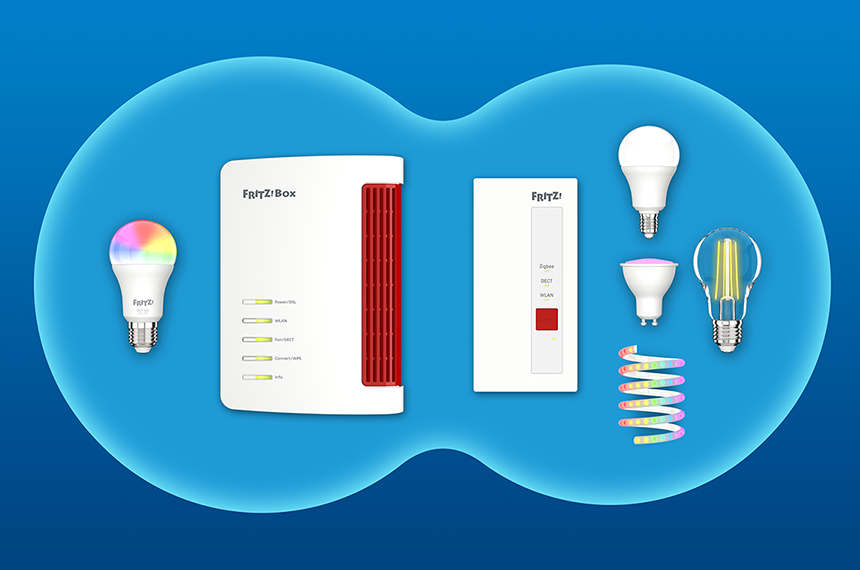
Zigbee is also a common standard and is used by Philips Hue LED light bulbs and smart home light bulbs from IKEA, for example. Connect Zigbee devices to the FRITZ!Smart Gateway if you are using a FRITZ!Box model without Zigbee support, for example.
A list of compatible and successfully tested Zigbee devices that you can use with the FRITZ!Smart Gateway can be found on our website at fritz.com/pages/zigbee/.
Requirements / Restrictions
- If you want to use a smart home device from another manufacturer that uses the standard DECT ULE/HAN FUN, neither DECT repeaters nor a FRITZ!Box 7390, 7270 or 7240 configured as a DECT repeater may be registered with the FRITZ!Box (under 'Telephony > DECT > Monitor').
Note:All instructions on configuration and settings given in this guide refer to the latest FRITZ!OS for the FRITZ!Box.
1 Registering a smart home device
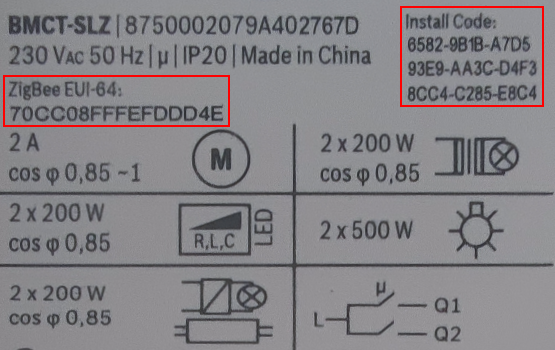
The specific procedure for registering smart home devices depends on the manufacturer. Some smart home devices are registered by entering the serial number of the device, for example Philips Hue LED light bulbs. Other smart home devices require the entry of a specific installation code and the MAC address, for example smart home devices from Bosch. You can find the serial number, installation code, and MAC address in the manual or on the device itself. The MAC address is sometimes also called the 'EUI64' or 'EUI-64' (64-bit Extended Unique Identifier).
- Click on 'Smart Home' in the user interface of the FRITZ!Smart Gateway.
- Click on 'Devices and Groups' in the 'Smart Home' menu.
- Click on the 'Register Device' or 'Register another smart home device' button and follow the wizard's instructions.
- As soon as the smart home device is successfully registered, it is displayed in the FRITZ!Box user interface under 'Devices and Groups' and can be configured there.
The smart home device is now set up and you can switch and control it in the home network and from anywhere over the internet.
 Deutschland
 International (English)
 United Kingdom
 Österreich
 Nederland
 España
 Italia
 Polska
 België (Nederlands)
 Luxemburg (Deutsch)
 Schweiz (Deutsch)