


Knowledge Base
go directly to the main content
FRITZ!Powerline user interface cannot be opened
After setting up the FRITZ!Powerline device, you cannot open its user interface. The user interface is not displayed when you enter fritz.powerline in the address bar of your web browser (for example Chrome, Firefox).
Simply proceed as described below. After each measure, check whether the problem is solved.
1 Calling up the complete address
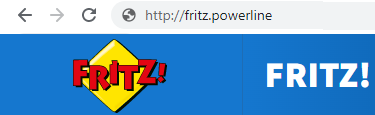
Some web browsers start a web search if you enter an unknown or incomplete address, for example Google Chrome using Google. To prevent this, you must enter the complete address http://fritz.powerline.
2 Clearing browsing data (cache)
Clear the cache of the web browser on computers with Windows or macOS:
- Press 'CTRL + Shift + Del' on the keyboard at the same time, or press 'CMD + Alt + E' for Safari.
- In the new window, click on 'Clear' or press Enter.
3 Opening the user interface via the Mesh Overview of the Mesh Master
If you are using the FRITZ!Powerline device with a FRITZ!Box or with a FRITZ!Repeater in the Mesh Master operating mode, you can use the user interface of the Mesh Master to open the user interface of the powerline device:
- Click on 'Home Network' in the user interface of the Mesh Master.
- Click on 'Mesh' in the 'Home Network' menu.
- Click on the link or the name of the powerline device.
4 Opening the user interface with the IP address
If you are using the FRITZ!Powerline device with a different router, the router must support DHCP name resolution so you can enter fritz.powerline to open the user interface. If the router does not support DHCP name resolution, use the IP address to open the user interface:
- Determine the IP address of the FRITZ!Powerline device. To find out how, refer to the router's manual or consult its manufacturer directly.
- Enter the IP address of the FRITZ!Powerline device (for example http://192.168.178.25) in the address bar of the web browser.
If you still cannot open the user interface of the FRITZ!Powerline device after following the steps given in this guide, the powerline device is not correctly connected to the router (for example FRITZ!Box) and you must reconnect the FRITZ!Powerline device to the FRITZ!Box or the FRITZ!Repeater (Mesh Master) or the other router.
 Deutschland
 International (English)
 United Kingdom
 Österreich
 Nederland
 España
 Italia
 Polska
 België (Nederlands)
 Luxemburg (Deutsch)
 Schweiz (Deutsch)