


Knowledge Base
go directly to the main content
- FRITZ!Box 7690
- FRITZ!Box 7682
- FRITZ!Box 7590 AX
- FRITZ!Box 7590
- FRITZ!Box 7583 VDSL
- FRITZ!Box 7583
- FRITZ!Box 7582
- FRITZ!Box 7581
- FRITZ!Box 7560
- FRITZ!Box 7530 AX
- FRITZ!Box 7530
- FRITZ!Box 7520
- FRITZ!Box 7510
- FRITZ!Box 7490
- FRITZ!Box 7430
- FRITZ!Box 7390
- FRITZ!Box 7360
- FRITZ!Box 6890 LTE
- FRITZ!Box 6850 5G
- FRITZ!Box 6850 LTE
Using a FRITZ! radiator control
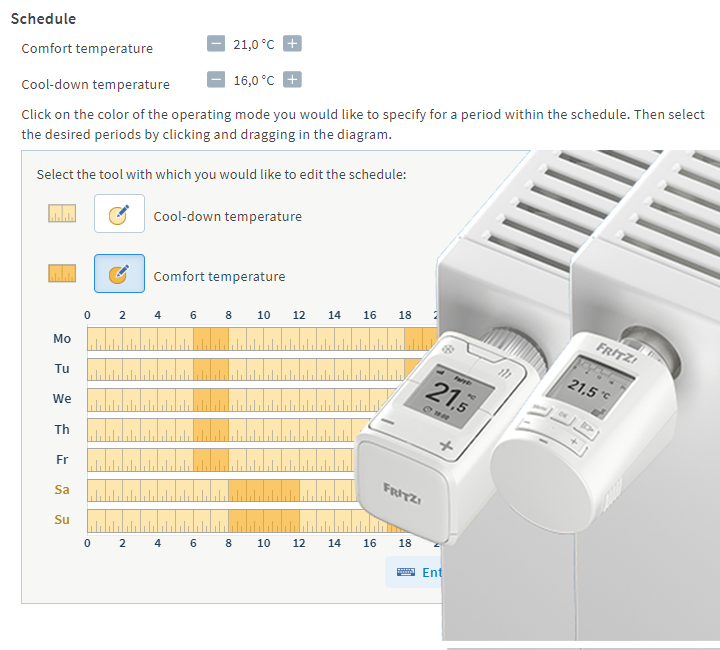
Radiator controls, for example FRITZ!Smart Thermo 302, are integrated into the FRITZ! home network via an encrypted DECT connection (DECT ULE). Then you can use the FRITZ!Box user interface to set up an individual heating program.
Requirements / Restrictions
- FRITZ!DECT 300 can only be used with FRITZ!Boxes equipped with DECT base stations, except for FRITZ!Box 7412.
1 Registering FRITZ! radiator controls
- Click on 'Smart Home' in the FRITZ!Box user interface.
- Click on 'Device Management' in the 'Smart Home' menu.
- Click on the 'Register Device' button.
- Within 2 minutes: Push the 'MENU' button on the radiator control, select the menu item 'FUNK', and then push the 'OK' button. Wait until 'SUCH' flashes in the display and then push the 'OK' button.
The DECT connection is established as soon as the symbol for the radio connection is shown continuously in the display of the radiator control.
2 Installing FRITZ!DECT on the radiator and adjusting it to valve lift
The radiator control must first be mounted on the radiator and then adjusted to the valve lift of the radiator valve:
- Remove the thermostat from the radiator.
- If necessary, mount the appropriate adapter.
- Mount the radiator control.
- Push the 'OK' button on the radiator control for about 3 seconds to adjust the radiator control to the valve lift. 'ADAP' is shown on the display and the valve adjustment is successfully completed as soon as the temperature is shown on the display.
3 Setting up the radiator control
- Click on 'Smart Home' in the FRITZ!Box user interface.
- Click on 'Devices and Groups' or 'Device Management' in the 'Smart Home' menu.
- Click the
 (Edit) button for the respective radiator control.
 - Configure the desired settings.
- Enable the option 'Push service enabled' so that you receive an email if the battery is low, the radio connection is lost, or there are errors in the radiator control.
- Click on 'Apply' or 'OK' to save the settings.
To save energy and minimize DECT radiation, radiator controls only communicate with the FRITZ!Box at certain intervals. As a result, changed settings may not be transmitted to the radiator control until after a maximum of 15 minutes. It takes up to 60 minutes during holiday switching and the phase when the radiator is turned off for them to be transmitted. To transmit the settings immediately, just push any button on the radiator control.
The radiator control is now set up and you can control the radiator directly on the device itself, via the FRITZ!Box user interface, with FRITZ!DECT 440, with FRITZ!Fon ('Home Network > Smart Home' menu), within the home network and over the internet using FRITZ!App Smart Home. If you are using a FRITZ!Box with FRITZ!OS 7.1x or older, you can also control it over the internet with MyFRITZ!App.
 Deutschland
 International (English)
 United Kingdom
 Österreich
 Nederland
 España
 Italia
 Polska
 België (Nederlands)
 Luxemburg (Deutsch)
 Schweiz (Deutsch)