


Knowledge Base
go directly to the main content
Setting up the FRITZ!Box for use with a fiber optic connection from SachsenEnergie
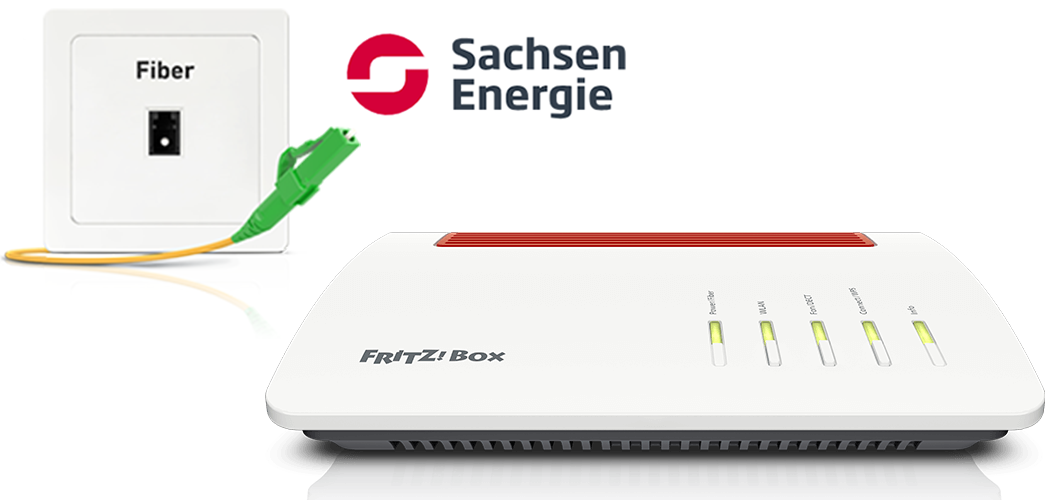
The FRITZ!Box Fiber is optimally prepared for use with SachsenEnergie. Simply connect the FRITZ!Box to the fiber optic connection. The FRITZ!Box is then automatically configured by SachsenEnergie.
The complete FRITZ!Box range of functions for internet, telephony, and smart home is then available to all of the devices in the home network without restriction.
Requirements / Restrictions
- FRITZ!Box Fiber with SFP plug-in module 'FRITZ!SFP AON'
Note:All instructions on configuration and settings given in this guide refer to the latest FRITZ!OS for the FRITZ!Box.
1 Inserting the SFP module into the FRITZ!Box
The FRITZ!Box is available in several different product variants, each of which is delivered with different components. If the FRITZ!Box you received did not have an SFP plug-in module inserted, perform the following step:
- Insert the SFP plug-in module 'FRITZ!SFP AON' into the fiber slot of the FRITZ!Box.
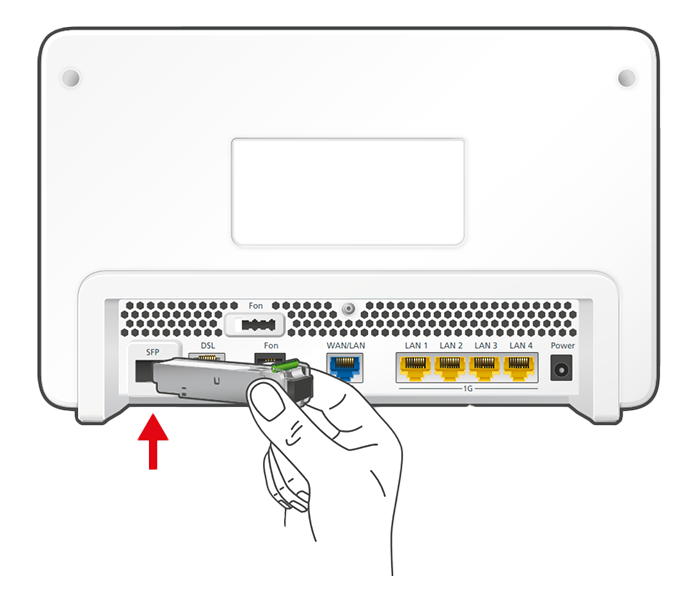
Inserting the SFP plug-in module into the FRITZ!Box
2 Connecting the FRITZ!Box to your fiber optic connection
- Remove the dust protection caps from the fiber optic cable, the SFP module in the FRITZ!Box, and from the fiber optic socket.
- Connect the fiber optic cable to the SFP module in the FRITZ!Box and to the fiber optic socket. Do not bend the fiber optic cable and do not hold the ends of the cable in front of your eyes.
Note:You can find information on selecting a suitable fiber optic cable in our guide Which fiber optic cable do I need?
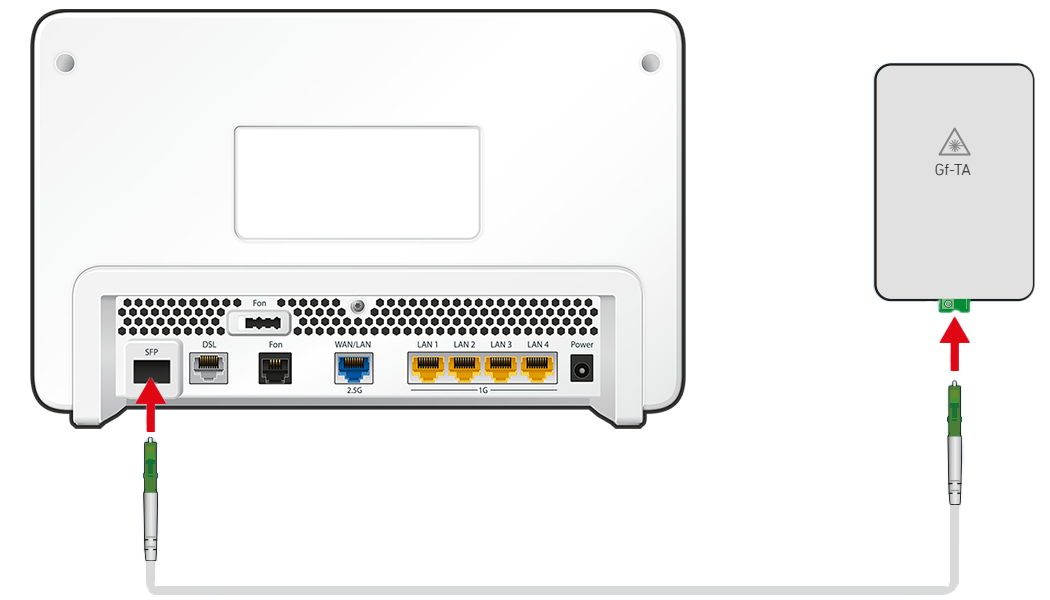
Connecting the FRITZ!Box to the fiber optic connection
3 Plugging the FRITZ!Box in
- Plug the power adapter into the FRITZ!Box's power socket and plug it into an electrical socket. Now the FRITZ!Box establishes a connection to SachsenEnergie that configures the internet connection and your phone numbers in the FRITZ!Box within the next 10 minutes.
- Configuration is complete as soon as the Power/Fiber LED remains lit.
Important:If the internet connection or phone numbers are still not configured after 10 minutes, contact SachsenEnergie.
4 Setting up telephony in the FRITZ!Box
Define which phone number your telephony devices should use for making outgoing calls and to which phone numbers the telephony devices should react to when you receive calls:
- Click on 'Telephony' in the FRITZ!Box user interface.
- Click on 'Telephony Devices' in the 'Telephony' menu.
- Click on the
 (Edit) button for the respective telephony device.
 Important:If the telephony device was not configured yet, click on the 'Configure New Device' button and follow the wizard's instructions.
- From the drop-down list 'Outgoing Calls', select the number to be used by the telephony device for making outgoing calls. If you do not select a phone number, the number entered under 'Telephony > Telephone Numbers > Line Settings' is used for making calls.
- Select the phone numbers to which the telephony device should react when you receive calls. You can select up to ten numbers (including the number for outgoing calls).
- Click on 'Apply' to save the settings.
 Deutschland
 International (English)
 United Kingdom
 Österreich
 Nederland
 España
 Italia
 Polska
 België (Nederlands)
 Luxemburg (Deutsch)
 Schweiz (Deutsch)