


Knowledge Base
go directly to the main content
Setting up FRITZ!Box for use with a DSL line from A1
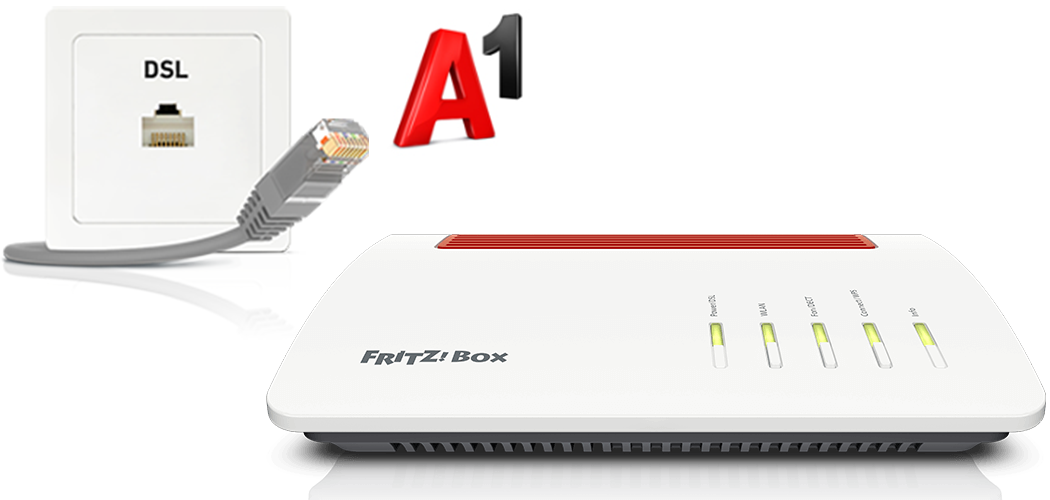
The FRITZ!Box is optimally prepared for use with A1 and gives you access to all features, including internet, telephony, and TV (A1 TV).
Simply connect the FRITZ!Box to the DSL line and select A1 as the internet service provider in the FRITZ!Box. The FRITZ!Box is then automatically configured by A1.
Note:All instructions on configuration and settings given in this guide refer to the latest FRITZ!OS for the FRITZ!Box.
1 Connecting the FRITZ!Box
- Insert the DSL cable into the 'DSL' socket on the FRITZ!Box and into the left socket of your phone jack marked with a triangle (see fig.).
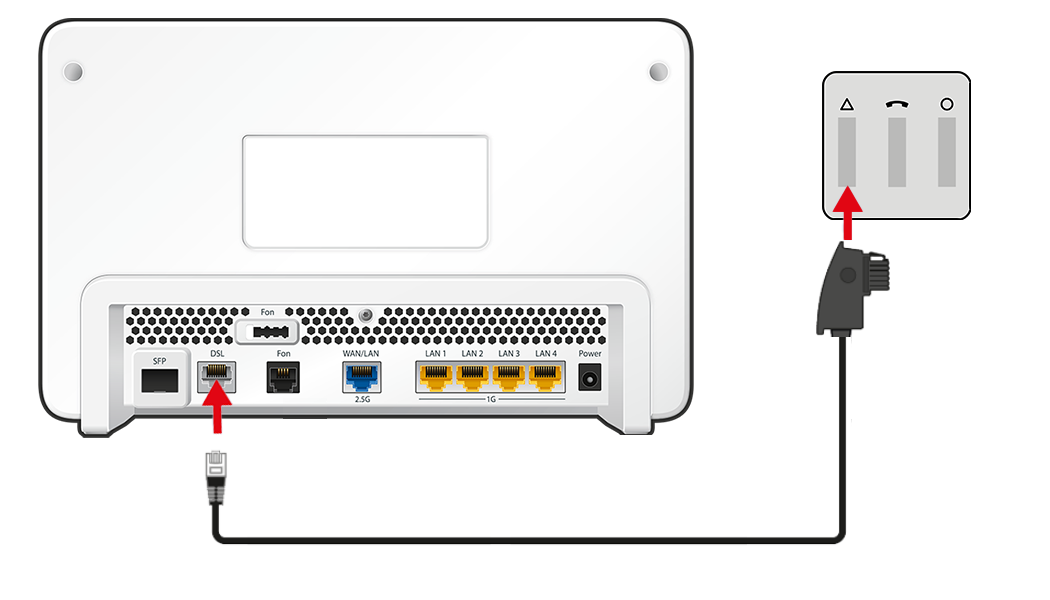
Using a DSL cable to connect FRITZ!Box to a DSL line
2 Setting the country of use
- Open the FRITZ!Box user interface.
- Enter the FRITZ!Box password given on the type label of the FRITZ!Box and click on 'Log In'.
- Click on 'System' and then on 'Region and Language'.
- Click on the 'Regional Options' tab.
- Select 'Austria' from the drop-down list.
Important:When the regional options are changed, the phone settings (for example telephony devices, call diversion settings, dialling rules) are reset and must be reconfigured.
- Click on 'Apply' to save the settings.
3 Configuring the internet connection in the FRITZ!Box
- Click on 'Wizards' in the FRITZ!Box user interface.
- If the wizard for internet access does not start automatically, click on 'Wizards' and then on 'Configure the Internet Connection'.
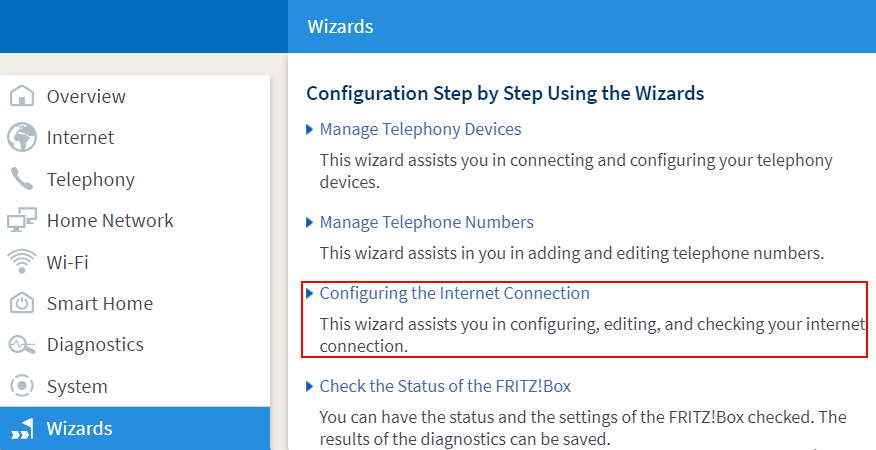
Calling up the FRITZ!Box wizard - Enable the 'Use DSL/WAN for internet connection' option and click on 'Next'.
- Select 'A1' from the drop-down list.
- Click on 'Next' and follow the wizard's instructions. The wizard establishes a connection to A1 that configures the internet connection and your phone numbers in the FRITZ!Box within the next 5 minutes.
Important:If the internet connection or phone numbers are still not configured after 5 minutes, contact A1.
4 Setting up telephony in the FRITZ!Box
Define which phone number your telephony devices should use for making outgoing calls and to which phone numbers the telephony devices should react to when you receive calls:
- Click on 'Telephony' in the FRITZ!Box user interface.
- Click on 'Telephony Devices' in the 'Telephony' menu.
- Click on the
 (Edit) button for the respective telephony device.
 Important:If the telephony device was not configured yet, click on the 'Configure New Device' button and follow the wizard's instructions.
- From the 'Outgoing Calls' drop-down list, select the number to be used by the telephony device for making outgoing calls. If you do not select a phone number, the number entered under 'Telephony > Telephone Numbers > Line Settings' is used for making calls.
- Select the phone numbers to which the telephony device should react when you receive calls. You can select up to ten numbers (including the number for outgoing calls).
- Click on 'Apply' to save the settings.
 Deutschland
 International (English)
 United Kingdom
 Österreich
 Nederland
 España
 Italia
 Polska
 België (Nederlands)
 Luxemburg (Deutsch)
 Schweiz (Deutsch)